There are two different questions hiding in "how do I spend less on my website". One is how to get a cheaper build. The other is how to stop paying for things you are not using, which is usually the bigger saving and almost nobody looks at it.
Here are seven ways to take money out, ranked from the ones that cost you nothing later to the ones that cost you most. Anything below number five is a false economy, and they are included so you can recognise them when somebody suggests them.
1. Audit what you are already paying, before anything else
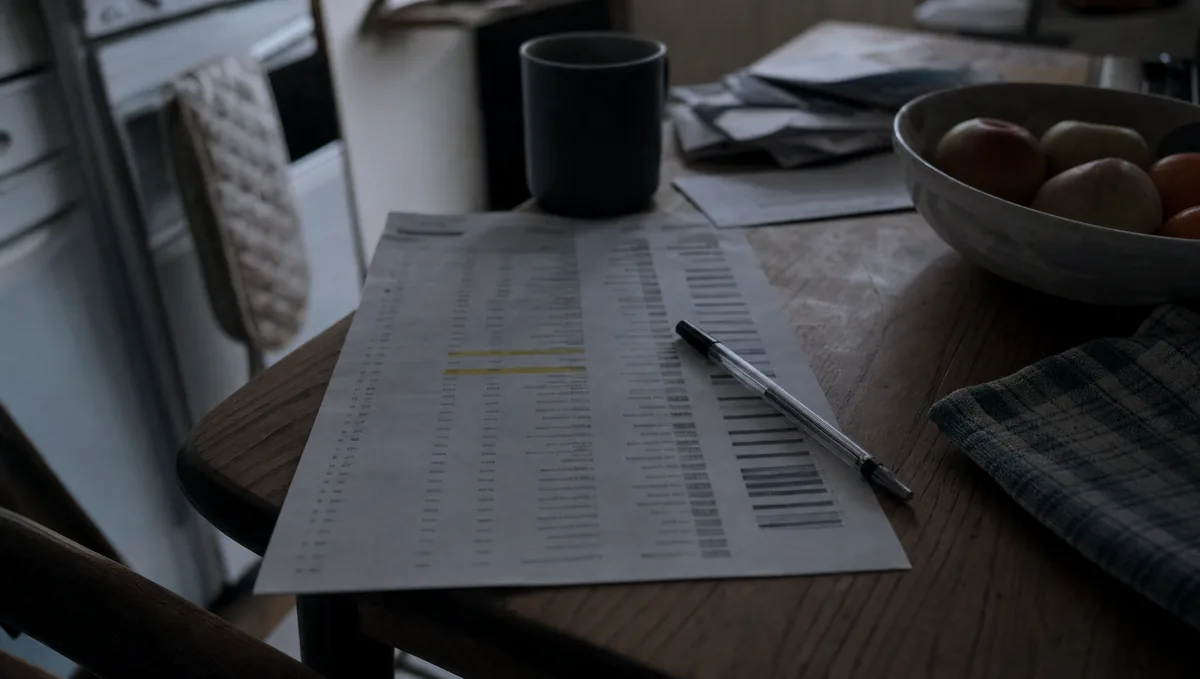
Start here, because it is free and it frequently finds more money than any negotiation on a build. Get last year's bank statements and highlight every recurring payment connected to the website. Most small businesses find three or four of these:
- Hosting you are paying for twice, usually because a site moved and the old account was never cancelled.
- Plugin or theme licences for things that are no longer on the site.
- A paid SSL certificate that could be a free one.
- A listing or directory subscription signed up to years ago that sends nothing.
- A maintenance retainer where you cannot say what was done last quarter.
- Mailboxes for people who left.
Do not cancel anything blindly, particularly hosting or a domain. Work out what each thing does first, then cancel what is genuinely dead. The full list of what these things should cost is in what website maintenance actually costs in the UK.
2. Write the words yourself
The largest single saving available on a build, and it costs you nothing but evenings. Copywriting is normally quoted per page and it is often a quarter of a small project.
You also have an advantage a copywriter does not: you know exactly how customers ask, because you answer them on the phone every day. Write it the way you would say it, get somebody to tidy the punctuation, and do not try to sound like a company. There is a straightforward method in writing the words for your own website.
The one condition: actually do it. Words you have promised and not written are the most expensive thing in this article, because they hold the whole project up while everyone waits, and delays cost money on both sides.
3. Take your own photographs
For most local businesses, your own photographs beat anything from a stock library, because they are visibly real and visibly yours. A phone from the last few years, daylight, and a bit of care is enough.
Photograph the work rather than the premises. Finished jobs, work in progress, your van, your team, the thing you actually sell. Take more than you think you need and take them in landscape. Save someone else's photographs for the things you genuinely cannot shoot, and pay a photographer only where appearance is the product, like a venue, a salon or a restaurant.
4. Build fewer pages and launch sooner
Three pages live this month beats nine pages still being written in November. You can add to a site that exists, and the version people can see is earning while the version being discussed is not.
Work out which pages have a job: the ones that answer a question you get asked, or that name a thing people search for. Everything else is a paragraph on an existing page rather than a page of its own. If you are not sure which is which, there is a method for counting in work out what your website should cost before you ask.
This works particularly well with a phased plan: agree the small version now and the extra pages as a second phase once you know what visitors are actually looking for. Most designers will quote both happily.
5. Leave out functions until something proves you need them
Booking systems, quote calculators, member logins, live chat, an events diary. Each one is money at build time and a small tax on your attention forever afterwards.
The test: if it were not there in month three, would you actually notice. For most small businesses the honest answer for most functions is no, because a phone number and a form cover the job. Add the booking system when the phone calls become genuinely annoying, which is a nice problem and a much easier thing to justify spending on.
The exception is anything that saves staff time immediately. If two people spend an hour a day on something a form would handle, buy the form.
6. Change how you buy, not what you buy
Sometimes the saving is in the shape of the payment rather than the size of it. Three legitimate options.
- Phase the project. Core site now, extra pages and functions later, each priced separately. Spreads the cost and lets you stop if the first phase does its job.
- Go monthly. A rental turns the build cost into a running cost, which suits a business that would rather not spend a lump sum. Ours start at £49 a month excluding VAT for up to five pages and £99 for up to fifteen, with the first three months paid up front and no setup fee. Over five or six years a one off build is usually cheaper, so this is about cash flow rather than total cost.
- Ask for the smaller version. "What would you build for half that, and what would I lose" is a fair question and a good designer answers it properly instead of just discounting.
What does not work is asking for the same thing for less. Either somebody absorbs the difference and resents it, or corners get cut in places you will not see until later.
7. Do your own local search work
A Google Business Profile is free, takes an afternoon to fill in properly, and for a local business it frequently brings in more enquiries than the website does. Nobody needs to be paid to do it for you.
Fill in every field, pick the right categories, add real photographs, keep the opening hours honest including bank holidays, and reply to every review. Then ask customers for reviews, steadily, forever. The whole method is in getting found on Google when you only work locally.
If you are going to pay somebody for search work, pay them for the parts that need skill and time, not for filling in a profile you could do between jobs.
Where the money actually goes on a small build
It helps to know what you are cutting. On a typical small business site built by a freelancer or small studio, the hours divide roughly like this.
- Design. Working out the layout, the type, the colours, and producing something to approve. The largest single block on a custom job, and close to nothing on a template.
- Build. Turning the design into pages that work on every screen size. Fairly predictable, and it scales with the number of different page layouts rather than the number of pages.
- Content. Writing, editing, formatting, sourcing pictures, and the back and forth while you decide what the homepage says.
- Setup. Domain, hosting, certificate, email, page titles and descriptions, sitemap, analytics. A few hours, and the part most often left out of a cheap quote.
- Testing and launch. Phones, tablets, the awkward browser your biggest customer uses, checking every form actually sends.
Look at that list and you can see why the two big savings are using a proven layout and writing your own words. They are the two largest blocks, and they are the only two you can remove without removing something the site needs.
The savings that cost more than they save
Four things get suggested regularly as cost cutting. All four are more expensive within two years.
- The cheapest possible hosting. Saves a few pounds a month, costs you speed, and speed costs you enquiries you never hear about. The detail is in website hosting explained without the jargon.
- Letting the designer keep the domain. Saves nothing whatsoever and is the single worst position to be in if you ever want to move.
- Skipping the search basics. Page titles, descriptions and a sitemap are a couple of hours. Without them you have bought a site that is hard to find.
- Dropping all support. Fine if you genuinely will do the updates. Expensive if, like most people, you will not notice the contact form has stopped sending for four months.
What if you already have a site and it is costing too much?
Before you rebuild anything, work out what is actually wrong, because a rebuild is the most expensive answer to most problems.
If the site works but costs too much to run, the audit in point one plus moving hosting is usually the whole answer. If the site is slow, that is often a photo compression job rather than a rebuild, as covered in why a slow website costs you work. If it looks dated but works, ask what a refresh of the design would cost against a full rebuild. If nobody can find it, no amount of rebuilding will fix that, and the money belongs in local search instead.
Rebuild when the site genuinely cannot do what you need, when nobody will touch the technology any more, or when changing anything costs so much that you have stopped.
What to do this week
In order, because doing them in this order means you stop paying for the dead things before you spend anything new.
- Print last year's statements and highlight every website related payment. Half an hour.
- Work out what each one is for, and cancel only the ones you are certain about.
- Check who the domain is registered to and that the renewal email goes somewhere you read.
- Send yourself a test enquiry from your own site, to confirm you are not paying for a site that cannot be contacted.
- Fill in your Google Business Profile properly, if you have not. Free, and usually the highest return hour in this whole list.
- Only then get quotes for anything you want to change.
The honest summary
The two biggest savings available to most small businesses are writing your own words and cancelling things you are not using. Neither costs you anything later. Everything after that is a trade, and the trades worth making are the ones that cost you time instead of money, not the ones that quietly remove work the site needs. If a saving means the site is harder to find, slower to load, or harder for you to change, it is not a saving at all, it is a bill arriving later.
If the monthly shape suits you better than a lump sum, you can price up your website and see the figure with no email address required. If not, take the list of four false economies with you when you go shopping.